Google Play
Speed Dial
Avg. 4.2
90+ Reviews
Speed Dial One-Tap Calling, SMS & Email App
Organize your favorite contacts for instant calling, SMS, and email with Speed Dial. Personalize layouts, actions, pages, and backgrounds for faster, smarter, and more convenient communication.
Get This App
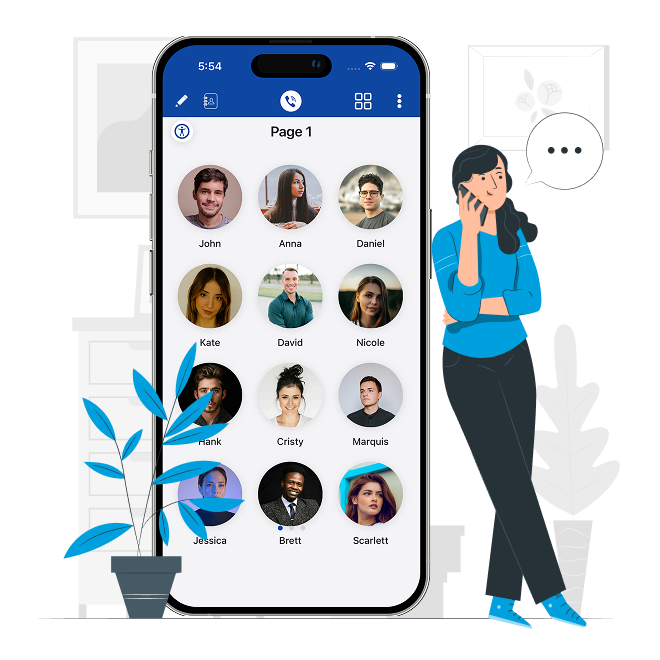
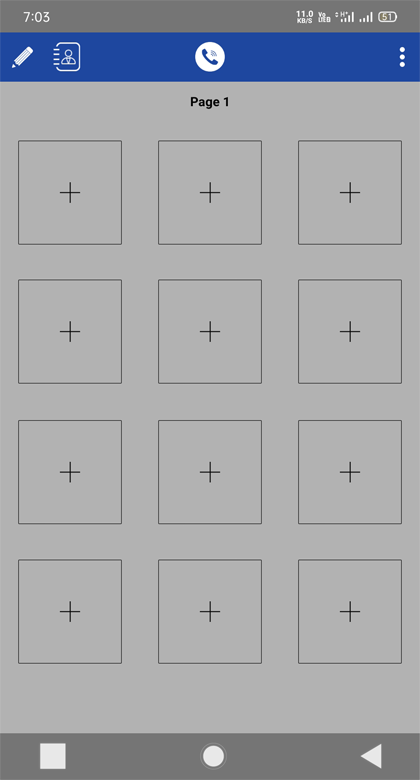
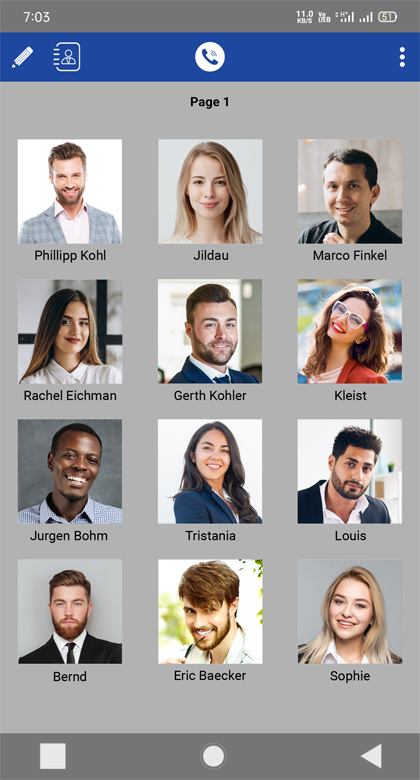
Smart Speed Dial for Faster Everyday Communication
Create Your Personalized Speed Dial Dashboard
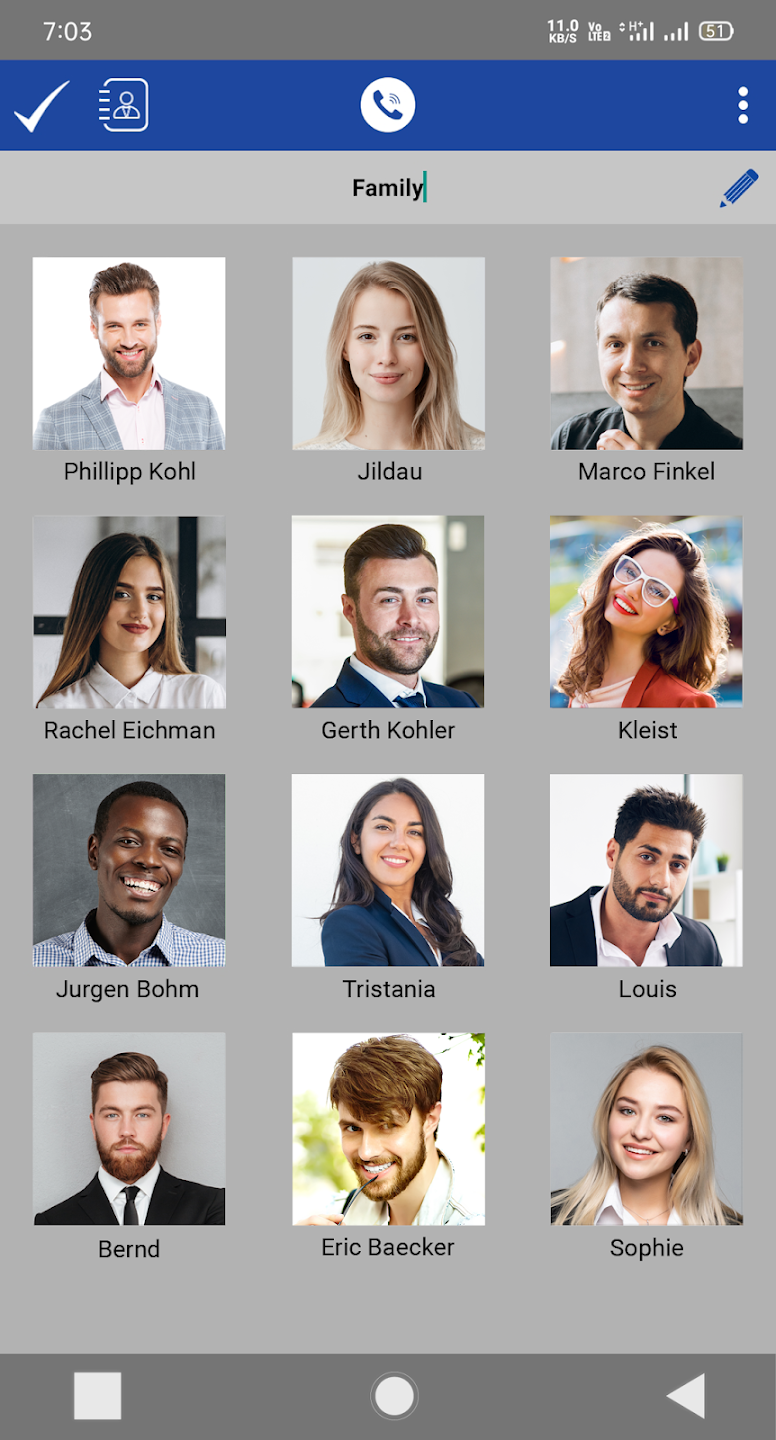
Add your most important contacts in seconds and access them instantly with a single tap. Customize contact images, names, numbers, colors, and layouts to match your personal preferences.
-
Add or remove favorite contacts anytime
-
Edit contact photo, name, phone number, and email
-
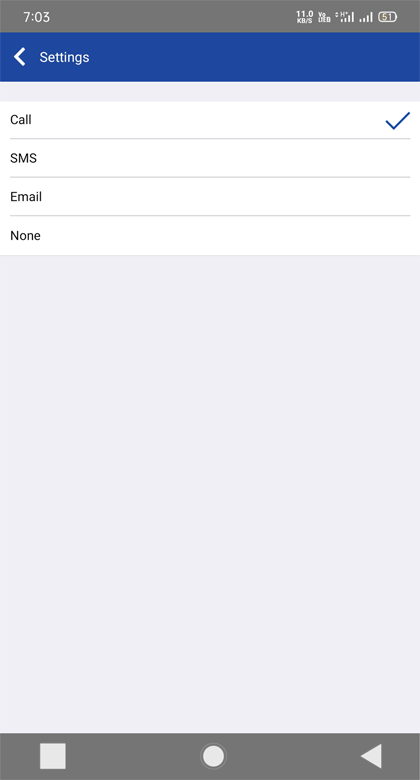
Assign quick Call, SMS, or Email actions
-
Choose Circle, Square, or Rounded icons
-
Personalize text colors and contact appearance
-
Simple interface for quick everyday access


Customize Every Tap the Way You Like
Take complete control of your Speed Dial experience with flexible tap actions, page management, custom backgrounds, and multilingual support for a faster and more personalized workflow.
-
Set Single Tap, Double Tap, or Long Press actions
-
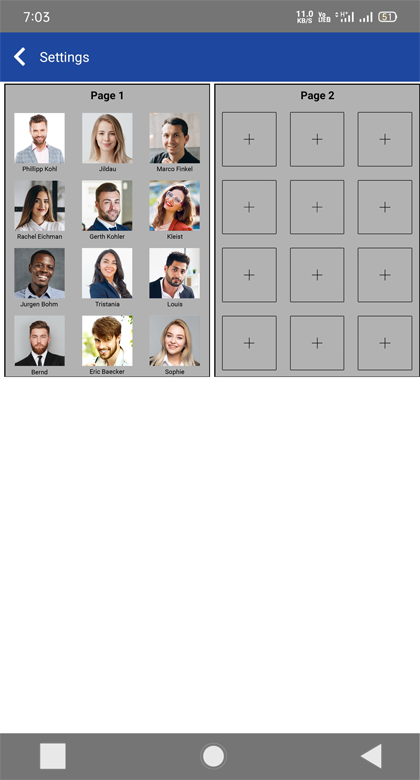
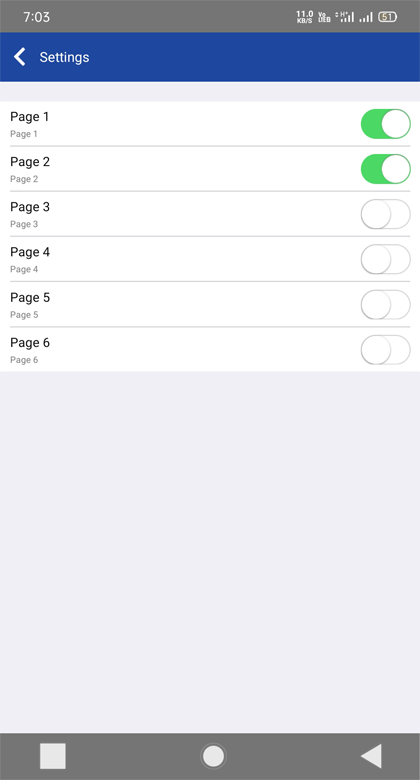
Organize, rename, enable, or turn off pages
-
Choose custom, blur, tinted, or blank backgrounds
-
Share contacts instantly with friends and family
-
Navigate quickly with the Quick Go to Page feature
-
Enjoy smoother performance with multilingual support
App Features
Speed Dial App Features That Make Every Call Faster
One-Tap Speed Dial Calling
Call your favorite contacts instantly with a single tap. Save time by assigning speed dial shortcuts to the people you contact most.
Quick SMS & Email Actions
Send text messages or emails directly from your saved contacts without opening multiple apps or searching your contact list.
Fully Customizable Contact Cards
Edit contact names, numbers, profile photos, email addresses, and colors to create a personalized speed dial experience.
Flexible Tap Actions
Assign Call, SMS, Email, or None to single tap, double tap, and long press for faster and smarter contact access.
Multiple Speed Dial Pages
Create up to six pages of favorite contacts. Organize family, office, friends, or emergency contacts exactly how you want.
Easy Page Management
Rearrange, rename, enable, or disable pages anytime to keep your speed dial dashboard clean and organized.
Personalized Backgrounds & Themes
Choose custom backgrounds, blur effects, tint options, or a clean layout to match your personal style and home screen.
Beautiful Icon & Text Customization
Select circular, square, or rounded icons and switch between black or white text for a clean, readable interface.
Clean & Fast Interface
Enjoy a responsive design that loads quickly, uses minimal resources, and makes calling, messaging, and emailing effortless.
What's New
What's New in the Latest Speed Dial App Update
Smart Contact Editing
Edit saves contacts directly from your dashboard with faster access to photos, names, phone numbers, and email details.
Multi-Language Support
Use the Speed Dial app in multiple languages for a more comfortable and personalized experience wherever you are.
Faster Performance & Quick Navigation
Enjoy smoother performance, a new page navigation shortcut, and an integrated suggestion feature to help improve the app.
Testimonial
Our Users Talked About Us
4.9/5



Gail Zlotky
United StatesVery smooth and easy to use. Does exactly what I need.
Laura Lake
SwedenClean interface and reliable performance. Highly satisfied.
Rehana Begum
IndiaFast, simple, and works perfectly every time.

Sanat Mehta
IndiaGreat experience from day one. Easy to understand.

Adrian Danker
USAWell-designed and responsive. Definitely worth using.

Lucas Pereira
BrazilEverything feels polished and easy to navigate.

Yuki Sakamoto
JapanLightweight, fast, and very user-friendly. Excellent experience.

Arjun Patel
IndiaSimple setup and smooth performance. Really impressed.

Daniel Williams
South AfricaReliable and intuitive. Makes things much easier.

Olivia Thompson
New ZealandOne of the best experiences I've had. Clean and efficient.
Common Questions Frequently Asked Questions
-
What is the best speed dial app for Android and iOS?
If you're looking for the best speed dial app, Speed Dial offers one-tap calling, SMS, email shortcuts, customizable pages, widgets, and personalized contact management. It is currently available for Android and is designed for users who need fast access to frequently used and emergency contacts.
-
Does the Speed Dial app have widget functionality?
Yes. The Speed Dial app supports a convenient widget that lets you access your favorite contacts directly from your home screen. You can quickly call, send an SMS, or email without opening the app.
-
How do I get to Speed Dial on my phone?
Install the Speed Dial app by Softpulse Infotech, add your favorite contacts using the "+" button, assign actions like Call or SMS, and optionally place the Speed Dial widget on your home screen for even faster access.
-
Do phones still have Speed Dial?
Many smartphones no longer include traditional speed dial features by default. A dedicated Speed Dial app provides more flexibility with customizable contacts, multiple pages, widgets, personalized layouts, and quick communication options.
-
How do I put people on Speed Dial?
Open the Speed Dial app, tap the "+" icon, choose a contact from your phonebook, assign it to a speed dial slot, and customize the preferred action. You can also edit the contact card, icon, and display settings anytime.
-
Can I save emergency contacts in the Speed Dial app?
Yes. You can dedicate an entire page or selected slots to your emergency contacts, making it easier to reach family members, doctors, caregivers, or emergency services with minimal effort.
-
Can I customize my Speed Dial dashboard?
Absolutely. You can change icon styles, contact photos, text colors, page names, page order, backgrounds, tap actions, and turn pages on or off to create a Speed Dial experience that fits your daily routine.
